Soldering and Crimping
Soldering techniques, equipment, joint quality, crimping process, and best practices for reliable robotic connections
Soldering and Crimping
Proper soldering and crimping create reliable electrical connections. Poor technique causes intermittent failures, fires, and circuit damage.
Soldering Fundamentals
Solder Composition
Modern solder (lead-free):
Alloy: Tin (99%), Silver (0.3%), Copper (0.7%)
Melting point: 217-227°C
Flux core: Built-in cleaning agent
Strength: Strong mechanical and electrical bond
Equipment Needed
Soldering iron: 25-60W (30W typical for small robots)
Solder: 1mm diameter, rosin-core
Flux: Optional (usually in solder)
Wet sponge: Cleans iron tip
Wick/solder sucker: Desolders mistakes
Heat-shrink tube: Insulation after soldering
Safety: Ventilation, eye protection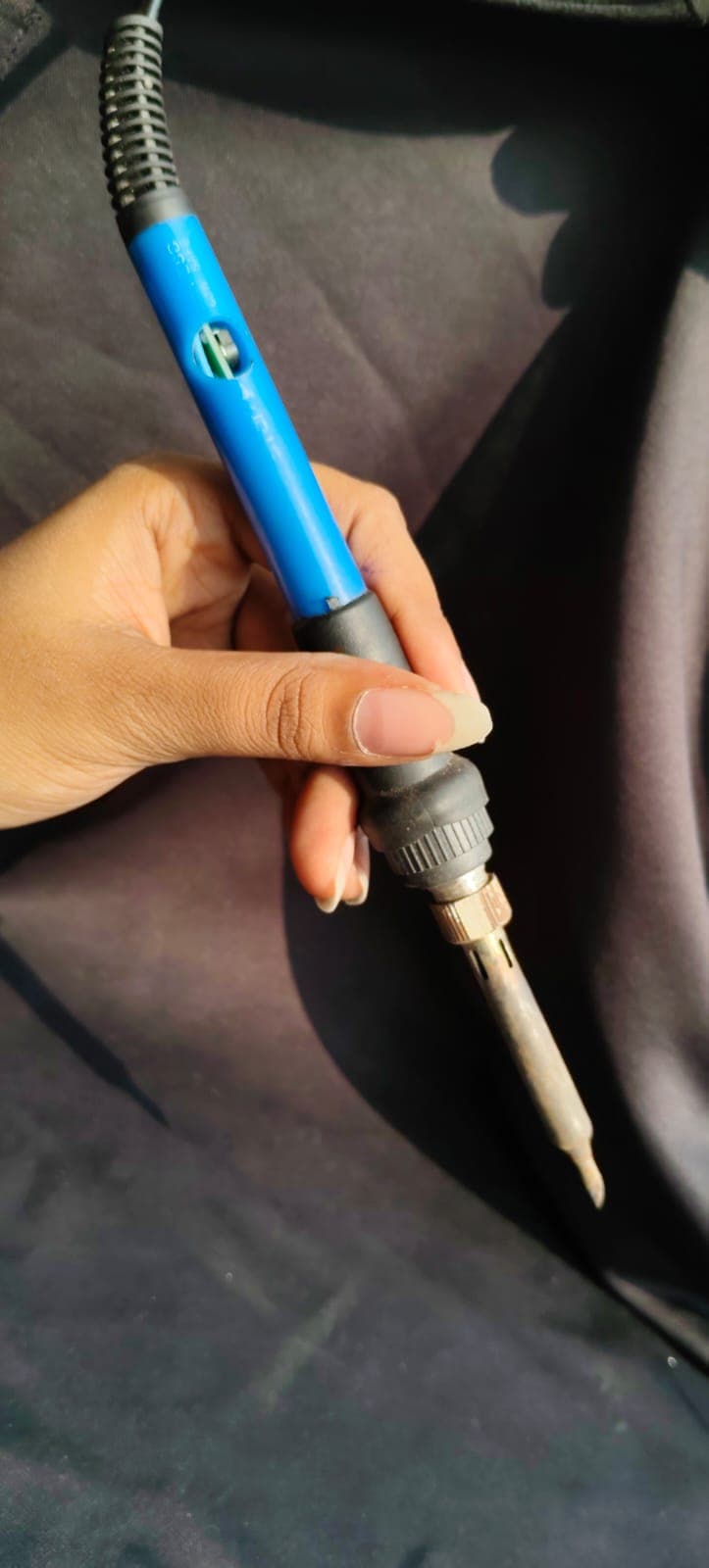
Figure: Temperature-controlled soldering iron - Essential tool for reliable electronic connections
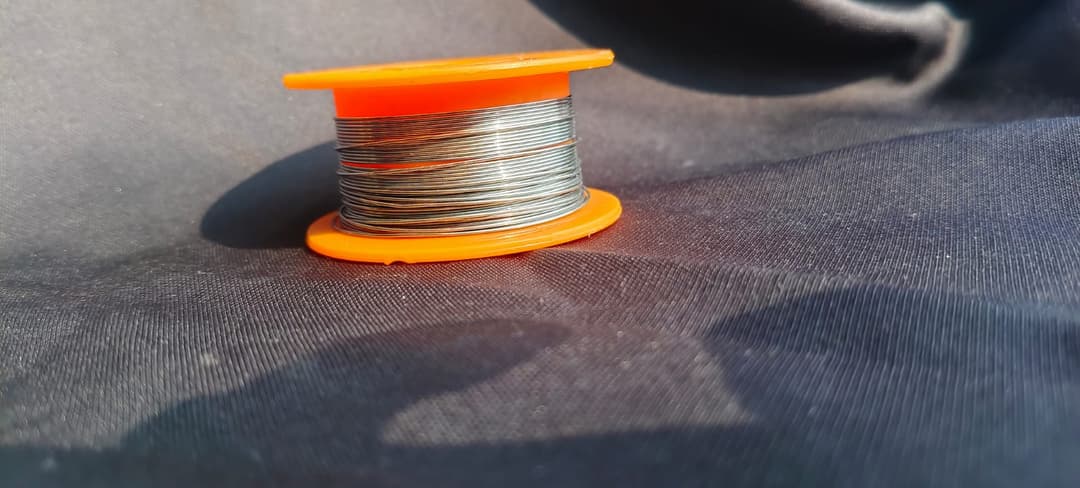
Figure: Solder wire with integrated flux core for clean joints
Soldering Technique
Step-by-Step Process
1. Tin the iron tip
   └─ Touch iron to wet sponge
   └─ Apply small amount of solder to tip

2. Position components
   └─ Hold wire and connector together
   └─ Keep steady (use helping hands tool)

3. Heat the joint (not solder!)
   └─ Touch iron to both wire and connector
   └─ Hold for 2-3 seconds
   └─ Iron should heat metal, not solder

4. Apply solder
   └─ Touch solder to hot joint (not iron tip)
   └─ Solder flows onto joint
   └─ Use just enough (25mm / 1 inch)

5. Remove solder first
   └─ Stop feeding solder

6. Remove iron
   └─ Let cool for few seconds
   └─ Don't move joint while cooling

7. Inspect
   └─ Should be shiny and smooth
   └─ Not dull (cold joint) or lumpy
Common Mistakes
| Mistake | Result | Fix |
|---|---|---|
| Too much heat | Melted insulation, damaged component | Lower temperature, work faster |
| Too little heat | Cold joint (weak) | Heat longer, let solder flow |
| Iron on solder | Solder balls, weak joints | Heat joint, let solder flow to it |
| Moving joint while cooling | Fracture, mechanical failure | Keep still for 3 seconds |
| Dirty iron tip | Poor heat transfer | Clean on wet sponge regularly |
Joint Quality Assessment
Good Joint
Visual:
✓ Shiny, smooth appearance
✓ Slightly convex (rounded) at edges
✓ No voids or gaps
✓ Solder flows smoothly onto wire

Electrical:
✓ Resistance < 0.1 Ω
✓ Low inductance
✓ Can carry full current
Cold Joint (BAD!)
Visual:
✗ Dull, grainy appearance
✗ Concave (indented)
✗ Solder doesn't properly connect

Electrical:
✗ High resistance (intermittent failures)
✗ Can fail under vibration
✗ Heat cycling degrades further
Fix Cold Joint
Reflow method:
1. Touch iron tip to joint
2. Let heat warm old solder
3. Solder should flow and become shiny
4. Looks much better now!
Desoldering (Fixing Mistakes)
Method 1: Solder Wick (Desoldering Braid)
Steps:
1. Place wick on bad joint
2. Hold soldering iron on top of wick
3. Wick absorbs molten solder
4. Lift wick and iron when done

Result: Joint mostly cleaned
Method 2: Solder Sucker (Desoldering Pump)
Steps:
1. Heat joint with iron
2. Place solder sucker tip over joint
3. Press trigger to suck up molten solder
4. Remove iron

Result: Joint quickly cleared
Method 3: Desoldering Station
Electric vacuum removes solder:
Cost: $30-50 (worth it for frequent repairs)
Advantage: Fastest, cleanest
Best for: Production, frequent repairs
Soldering Common Components
Wire to Connector
1. Strip 5mm of insulation from wire
2. Tin wire end (coat with thin solder)
3. Insert into connector terminal
4. Heat connection point
5. Apply solder until it flows
6. Remove iron and cool
7. Cover with heat shrink
Component Legs (Resistor, Capacitor)
1. Insert component leg through PCB hole
2. Bend leg slightly to hold component
3. Apply iron to connection (very brief, PCB can heat)
4. Add solder and remove iron
5. Trim excess leg with snips
IC (Microcontroller)
Modern approach: Surface mount (SMD) requires hot air or oven
Traditional approach: Dip ICs
  - Use sockets when possible (easy replacement)
  - Solder socket carefully
  - Insert IC after soldering
Crimping as Alternative
When to Crimp vs Solder
| Method | Advantages | Disadvantages | Best For |
|---|---|---|---|
| Solder | Strong, reliable | Requires skill, heat | Permanent connections |
| Crimp | Fast, repeatable | Needs special tool | Quick connections |
| Screw terminal | Easy, adjustable | Contacts can loosen | Breadboard prototypes |
Crimp Types
Butt crimp (in-line):
Wire ──[Crimp]── Wire
      └─ Connects two wires end-to-end
Spade crimp (connector):
Wire ──[Spade crimp] → Slides onto pin
      └─ Fast connector to terminal
Ring crimp:
Wire ──[Ring crimp]
       └─ Slips over bolt for ground
Crimping Process
1. Choose correct size crimp for wire gauge
2. Strip 5-6mm of insulation from wire
3. Insert wire into crimp barrel
4. Use crimping tool (calibrated for wire/crimp size)
5. Squeeze firmly until crimp seats
6. Tug test: Pull hard, should not slide out
7. Apply heat shrink over crimp for insulation
Crimping Tool
Manual tool: $10-30 (basic)
├─ Works for small quantities
├─ Requires strength
├─ Many different crimp sizes fit

Ratcheting crimper: $30-60 (semi-professional)
├─ Auto-stops at proper compression
├─ Better consistency
├─ Worth it if doing many crimps

Powered crimper: $200+ (professional)
├─ Fast, consistent
├─ For high-volume production
Heat Shrink Tubing
Purpose
Insulate and protect soldered joints:
Uncovered solder: Exposed, can short circuit
With heat shrink: Insulated, protected from moisture
Sizing
Heat shrink ID should be 1.5-2× the insulation OD

Example:
Wire insulation OD: 2.5mm
Choose heat shrink: 4mm or 5mm ID

Too small: Won't fit over joint
Too large: Won't insulate properly
Application
1. Slide tubing over wire before soldering
2. Solder joint
3. Slide tubing over joint
4. Use heat gun or lighter to shrink
5. Tubing shrinks ~50% when heated
6. Result: Insulated, protected joint
Soldering Station Setup
Workspace Organization
Layout:
├─ Soldering iron (right side if right-handed)
├─ Solder spool (left side)
├─ Wet sponge (iron cleaning)
├─ Helping hands tool (holds components)
├─ Heat shrink dispenser
├─ Desoldering tools (nearby)
└─ Fume extractor (behind work area)

Lighting: Bright overhead + task light

Ventilation: Fume extractor pulls solder fumes away
Fume Extraction
Lead-free solder releases fumes:
Fumes: Flux residue (can irritate lungs)

Solution:
✓ Open window for air circulation
✓ Use fume extractor with carbon filter
✓ Never breathe fumes directly
✓ Work in well-ventilated area

For sensitive individuals:
✓ Wear respirator mask
✓ Take frequent breaks
Quality Control Checks
Visual Inspection
Before use:
☐ Joint shiny or dull?
☐ Solder smooth or lumpy?
☐ Any cracks visible?
☐ Wire fully inserted?
☐ Insulation intact?
Mechanical Test
Tug test: Pull gently (not hard)
├─ Should not budge
├─ If moves, probably cold joint
└─ Re-solder

Bend test: Gently flex wire
├─ Should remain solid
├─ If crackles, likely fracture
└─ Too much heat, re-solder
Electrical Test
Continuity test:
├─ Multimeter on resistance mode
├─ Should read < 0.1 Ω
├─ If high resistance, bad joint
└─ Dry joint, re-solder

Current test (under load):
├─ Monitor during operation
├─ If joint gets hot, bad connection
└─ Resistance generates heat
Safety Guidelines
Soldering Safety
Heat hazards:
- ⚠️ Iron tip is 350-400°C (extremely hot!)
- ⚠️ Never touch tip directly
- ⚠️ Wear eye protection (splatters)
- ⚠️ Use helping hands to hold pieces
Chemical hazards:
- ⚠️ Solder fumes contain flux residue
- ⚠️ Lead-based solder also releases lead fumes (very toxic)
- ⚠️ Always use ventilation
- ⚠️ Wash hands after soldering
Fire hazards:
- ⚠️ Keep flammable materials away
- ⚠️ Don't leave iron unattended
- ⚠️ Use iron stand, not workbench
- ⚠️ Keep water nearby in case of small fire
Common Issues and Solutions
| Problem | Cause | Solution |
|---|---|---|
| Solder won't stick | Dirty connection | Clean with flux or abrasive |
| Joint too shiny | Too much solder | Use solder wick to remove excess |
| Wire melts | Too much heat | Lower temperature, work faster |
| Smoke and smell | Dirty flux | Use good quality solder, improve ventilation |
| Connection pops off | Cold joint | Reheat and reflow |
| Oxidized iron tip | Oxidation buildup | Clean on wet sponge, use tinner |
Summary
Soldering:
✓ Heat joint, not solder ✓ Let solder flow naturally ✓ Result should be shiny and smooth ✓ Cool without moving ✓ Insulate with heat shrink
Crimping:
✓ Use correct crimp size ✓ Proper tool pressure essential ✓ Tug test to verify ✓ Add heat shrink for insulation ✓ Good for high-volume assembly
Quality Assurance:
✓ Visual inspection for defects ✓ Mechanical testing (tug, bend) ✓ Electrical testing (continuity, resistance) ✓ Operational testing (monitor for heat)
Practice and Skill:
- Solder 10-20 practice joints before production
- Recognize good vs cold joints
- Develop steady hand control
- Build muscle memory for timing
- Eventually becomes second nature
How is this guide?